
Many coaches invest time and money into building a website, only to treat it like an online brochure.
Your website is one of your most valuable digital assets. It should help potential clients understand who you help, how you help them, and what they should do next.
The problem is that many coaching websites look professional on the surface while quietly losing opportunities behind the scenes.
While reviewing coaching websites across different niches, I’ve noticed a recurring pattern. The issue is rarely a lack of expertise. More often, the website fails to communicate that expertise clearly enough.
Visitors arrive with questions. If your website doesn’t answer them quickly, they leave.
This self-audit checklist for coaching website will help you identify whether your website is helping your business grow or simply occupying space on the internet.
Score yourself one point for every “Yes.”
Table of Contents
- Here is Self-Audit Checklist for Coaching Website
- 1. Can You Find Yourself on Google for Your Core Service?
- 2. Does Your Homepage Clearly State Who You Help and How?
- 3. Are Your Most Important Pages Showing Up on Google?
- 4. Is Your Website Easy to Use on Mobile?
- 5. Does Your Website Load Quickly?
- 6. Do You Have Content That Answers Questions Your Clients Are Searching For?
- 7. Do Your Search Listings Make People Want to Click?
- 8. Can Visitors Easily Navigate Through Your Website?
- 9. Is There a Clear Next Step on Every Important Page?
- 10. Has Your Website Generated Any Inbound Inquiries in the Last 3 Months?
- What Your Score Means
- What This Score Doesn’t Tell You
- Final Thoughts
- Frequently Asked Questions
Here is Self-Audit Checklist for Coaching Website
1. Can You Find Yourself on Google for Your Core Service?
Imagine your ideal client is searching for the service you provide.
Do searches like these bring up your website?
- Public speaking coach for founders
- Leadership coach for executives
- Business coach for consultants
If your website doesn’t appear anywhere, potential clients may never discover you, regardless of how good your service is.
You don’t need to rank #1 for every keyword. But you should have visibility for the services you want to be known for.
Score: Yes = 1 point | No = 0 points
2. Does Your Homepage Clearly State Who You Help and How?
This is one of the first things I look for when reviewing a coaching website.
Within a few seconds of landing on your homepage, a visitor should be able to answer three questions:
- Who do you help?
- How do you help them?
- What should they do next?
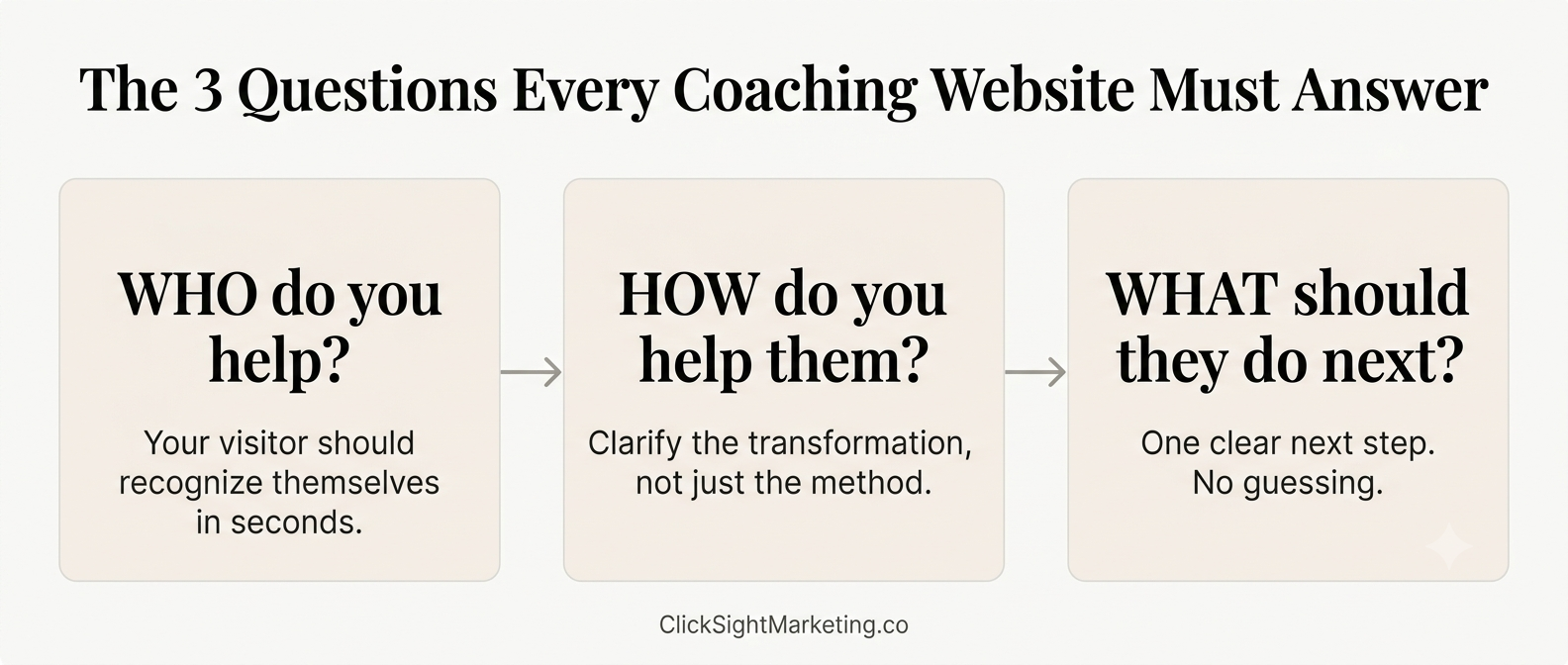
Too many coaching websites spend more time talking about the coach than the client.
Your homepage should make visitors feel understood before it tries to impress them.
Score: Yes = 1 point | No = 0 points
3. Are Your Most Important Pages Showing Up on Google?
Your homepage isn’t the only page that matters.
Key pages such as:
- Services
- Coaching programs
- About page
- Important blog posts
should be discoverable through search.
A simple way to check is to search:
site:yourwebsite.com
If important pages are missing, it usually means one of two things: the page isn’t set up correctly for Google to read, or nothing on your site is pointing to it. Either way, that page is invisible to anyone searching for what it offers.
Score: Yes = 1 point | No = 0 points
4. Is Your Website Easy to Use on Mobile?
Most visitors will see your website on a phone before they ever see it on a desktop.
Check:
- Is the text easy to read?
- Are buttons easy to tap?
- Do pages display properly?
- Can visitors complete forms without frustration?
If any of these feel clunky, it’s not just an annoyance — it’s likely costing you inquiries. Most people won’t fight a broken layout to figure out how to contact you. They’ll just leave.
Score: Yes = 1 point | No = 0 points
5. Does Your Website Load Quickly?
Speed affects both user experience and search visibility.
If your website takes too long to load, visitors often leave before reading a single word.
A quick test is to open your website on mobile data instead of Wi-Fi. Does it feel fast? For a more precise read, run your homepage through Google PageSpeed Insights — anything scoring in the red is worth investigating.
A slow site doesn’t just frustrate visitors. It quietly signals to Google that your site is a worse experience than a faster competitor’s, which affects who shows up first.
Score: Yes = 1 point | No = 0 points
Questions 3–5 cover the technical side of your website — indexing, mobile experience, and speed. If any of these came back a “no,” the full on-page SEO checklist walks through exactly how to fix each one.
6. Do You Have Content That Answers Questions Your Clients Are Searching For?
Many coaches rely entirely on social media for visibility.
The challenge is that social posts disappear quickly.
Blog content gives your website the opportunity to show up when someone actively searches for help.
A common issue I see is that coaches describe their services using industry language while prospects search using problem-focused language.
For example:
Instead of searching for “executive communication transformation,” a prospect might search:
- How to speak confidently in meetings
- Public speaking coaching for CEOs
- How to overcome presentation anxiety
Your content should reflect how your audience actually searches.
Score: Yes = 1 point | No = 0 points
7. Do Your Search Listings Make People Want to Click?
When your website appears on Google, the search result is often the first impression someone has of your business.
Ask yourself:
- Does the page title clearly describe the page?
- Does the description encourage someone to learn more?
- Would you click it if you were the client?
Visibility is important. But getting clicks is what brings visitors to your website.
Score: Yes = 1 point | No = 0 points
8. Can Visitors Easily Navigate Through Your Website?
Your website should guide visitors naturally.
Someone reading a blog post should be able to find:
- Related articles
- Relevant services
- Ways to contact you
Without needing to search for them.
If visitors get stuck, confused, or reach dead ends, opportunities are often lost.
Score: Yes = 1 point | No = 0 points
9. Is There a Clear Next Step on Every Important Page?
One of the most common issues I encounter is websites that expect visitors to figure out the next step themselves.
Every important page should have a clear action.
Examples include:
- Book a discovery call
- Apply for coaching
- Contact us
- Download a resource
If someone is interested, don’t make them hunt for a way to reach you.
Score: Yes = 1 point | No = 0 points
10. Has Your Website Generated Any Inbound Inquiries in the Last 3 Months?
This is the most important question in the entire audit.
Because at the end of the day, your website exists to support business growth.
If you haven’t received a single inquiry, lead, or meaningful conversation from your website in the last three months, it’s worth investigating why.
One lesson I’ve learned while reviewing coaching websites is that traffic isn’t always the problem.
Sometimes the real issue is clarity.
If visitors don’t understand who you help, what problem you solve, or what they should do next, sending more traffic to the website won’t fix the underlying issue.
Score: Yes = 1 point | No = 0 points
What Your Score Means
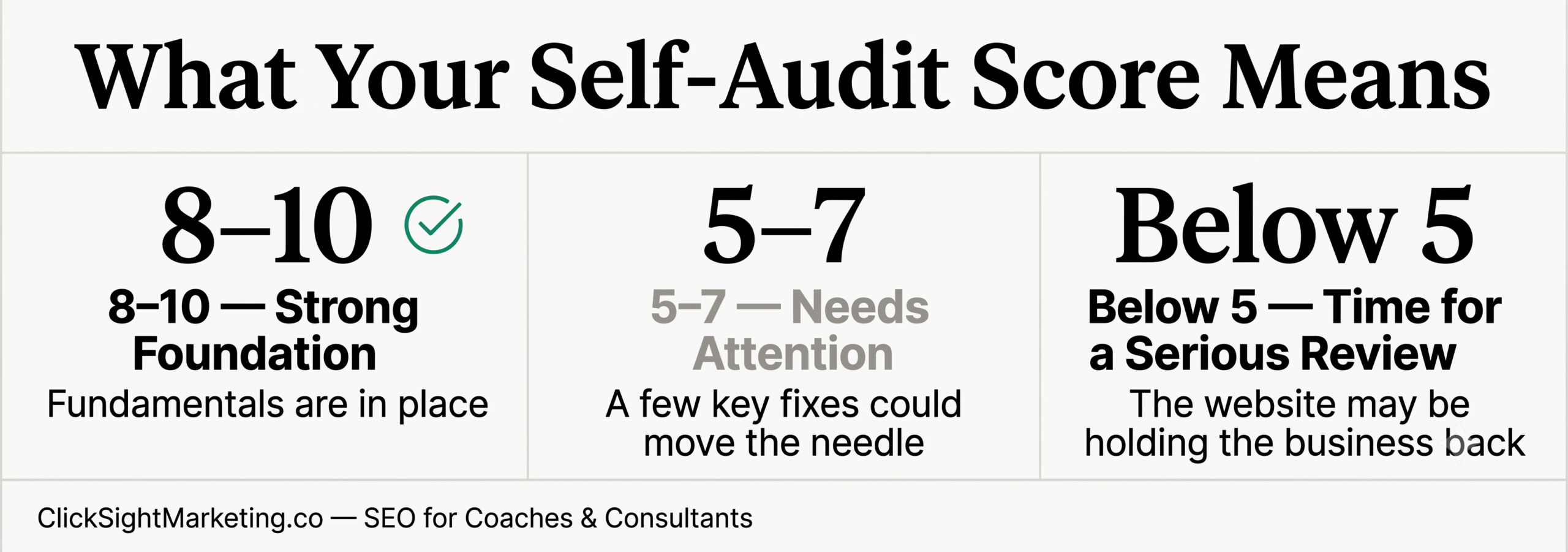
8–10 Points: Strong Foundation
Your website is likely supporting your visibility and lead generation efforts.
That doesn’t mean there isn’t room for improvement, but the fundamentals appear to be in place.
5–7 Points: Needs Attention
Your website may be creating friction that is limiting results.
Addressing a few key issues could significantly improve performance.
Below 5 Points: Time for a Serious Review
Your website may be holding your business back.
The good news is that most website problems are fixable once they’re identified.
What This Score Doesn’t Tell You
A website can score well on a checklist and still struggle to generate leads if the messaging is unclear.
Likewise, a website with technical issues can sometimes perform surprisingly well because it speaks directly to the right audience.
That’s why this checklist should be viewed as a starting point, not a final verdict.
The goal isn’t simply to check boxes.
The goal is to create a website that helps the right people understand who you help, trust your expertise, and take the next step.
Final Thoughts
Your website should be doing more than looking professional.
It should help potential clients discover you, understand your value, and confidently move forward.
If you scored below 6, it may be time for a deeper review.
Sometimes a few small improvements can make a meaningful difference. Other times, the website needs a stronger foundation before additional traffic or marketing efforts will produce results.
Either way, identifying the gaps is the first step toward fixing them.
If you scored below 6, it’s worth a closer look before you spend more on traffic or marketing. Book a free discovery call and let’s talk through what’s actually holding your website back.
Frequently Asked Questions
How often should I audit my coaching website?
Once every 3–4 months is a reasonable rhythm for most coaches. If you’ve recently changed your offer, rebuilt your site, or shifted your niche, it’s worth running through this checklist sooner — those changes are exactly when clarity issues tend to creep in.
What’s considered a good score on this audit?
8 out of 10 or higher generally means your website is doing its job. But as the section above explains, a high score doesn’t guarantee leads — it just means the fundamentals are in place. A lower score isn’t a failure either; it’s simply a map of where to focus next.
Do I need a developer to fix these issues?
Not for most of them. Messaging clarity, navigation, and CTAs are things you can usually fix yourself with some focused editing. Technical items — indexing, site speed, mobile responsiveness — sometimes need a developer or SEO specialist, especially if you’re not comfortable in your website’s backend.
My website scored well, but I’m still not getting leads. What’s going on?
This is common, and it’s exactly what the “What This Score Doesn’t Tell You” section above touches on. A technically sound website can still underperform if the messaging doesn’t speak directly to your ideal client’s problem. Score and performance don’t always move together — it’s worth a closer, more qualitative look at your homepage and offer pages.
Should I fix everything on this list myself, or get help?
That depends on your comfort level and how much time you have. The messaging and clarity items are worth doing yourself first — you know your business better than anyone. The technical items are where outside help tends to save the most time and prevent costly mistakes.