Blog

Your blog category

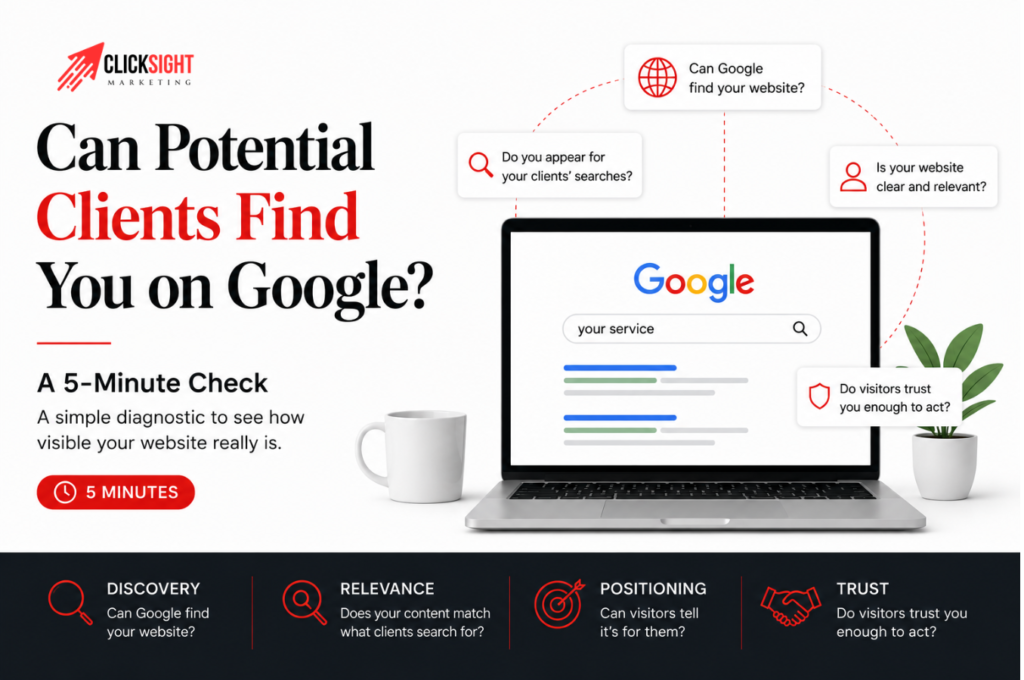
Can Potential Clients Find You on Google? A 5-Minute Check

You have a website. It looks professional. Your services are clearly listed, at least from your perspective. But when a potential client searches Google for the problem you solve, can they actually find you? There is an important difference between having a website on Google and being visible when the right person searches for what you do. Most coaches assume these are the same thing — they aren’t, and the gap between them is usually where leads are being lost. I see this often when auditing websites for coaches and consultants. Sometimes, Google hasn’t properly indexed the website. But more often, the website exists on Google and still doesn’t appear for the searches that could bring potential clients to it. This quick 5-minute check will help you understand where the problem might be — whether your coaching website is actually visible to the people searching for what you offer, not just technically “on Google.” You don’t need any SEO knowledge to do it. Check 1: Can Google Find Your Website? Start with the simplest test. Open Google and search for: Your service + your brand name For example, if you’re a leadership coach with a brand called ABC Coaching, you might search: Leadership coach ABC Coaching Your website should ideally appear somewhere in the results, especially when your brand name is included. If it does, that’s a good first sign. Google knows something about your website and can connect your brand with what you do. But don’t stop here. Finding yourself when you search for your own brand is very different from a potential client finding you when they don’t already know you exist. We’ll check that next. Check 2: Does Google Know Your Website Exists? Now search Google using: site:yourwebsite.com Replace yourwebsite.com with your actual domain. For example: site:example.com You should see pages from your website appearing in the search results. This is a quick way to see whether Google has indexed at least some of your website. If your pages appear, move on to the next check. If nothing appears, your website may have an indexing or discovery problem. The next place I would check is Google Search Console. It lets you see whether Google has discovered your pages and whether there are problems preventing them from being indexed. If you haven’t set it up yet, connecting your website to Google Search Console and submitting your sitemap is a good starting point. One important thing, though: this simple site: search isn’t a complete technical SEO audit. A page not appearing in this search doesn’t automatically tell you exactly what is wrong. For this 5-minute check, we’re simply trying to answer one question: Does Google appear to know that your website and its important pages exist? Related reading: if your homepage and service pages are appearing but something still feels off, my On-Page SEO Checklist walks through the technical basics page by page. Check 3: Can People Find You Without Searching for Your Name? This is where the real visibility check begins. Think about what you actually want someone to find you for. Don’t include your name or brand this time. Instead, search for the service you offer or the problem your potential client might be trying to solve. For example: Public speaking coach Executive communication coach How to become more confident speaking in meetings Now look at the results. Does your website appear? If not, don’t immediately assume you have a technical SEO problem. Your website could be indexed perfectly well and still not appear for the searches that matter to your business. This is one of the most common problems I notice when looking at websites. The business owner knows what they do. Their existing clients know what they do. But the website explains the service using the business owner’s language rather than the language their potential clients actually use when searching. That creates a gap and brings us to… Check 4: Are You Talking About Your Client’s Problem the Way They Search for It? Imagine you have created your own methodology for helping clients. You might have a unique name for your process. You might use certain words every day when talking to people in your industry. But your potential client may have never heard those words before. They’re searching based on the problem they understand. This is something I’ve seen firsthand when auditing websites for coaches and consultants. A website can have pages about the right general topics and still struggle to appear for relevant searches because the content isn’t aligned with how potential clients describe their problems. So look at your homepage and your main service pages and ask yourself: If I didn’t know my industry terminology, would I still understand what this service helps me with? Then ask: Are these the words my potential clients would actually type into Google? This is where keyword research becomes useful. Keyword research isn’t just about finding phrases with high search volumes and putting them into your website. It helps you understand the language people use when they’re actively looking for the problem you solve. Your website should connect your expertise with that language. A Real Example From My Work I saw this combination of problems while working on the website of Akshat Shrivastava, a public speaking coach for CEOs and founders. Before we worked on the website, its search visibility was extremely low. Google Search Console showed only around nine search impressions during the period we initially looked at. The problem wasn’t just one missing SEO setting. The website needed a clearer foundation. We rebuilt the website from scratch, worked on his positioning, researched what potential clients were actually searching for, and structured the website around the services he wanted to be found for. We also set up the website properly in Google Search Console so we could see how Google was discovering and displaying it. The important lesson wasn’t simply that submitting a website to Google fixes its visibility. It doesn’t. Google first needs to be able to discover your website. Then it

Can Potential Clients Find You on Google? A 5-Minute Check Read More »
Self-audit checklist for coaching website

Is Your Coaching Website Actually Working For You? (Self-Audit Checklist)

Many coaches invest time and money into building a website, only to treat it like an online brochure. Your website is one of your most valuable digital assets. It should help potential clients understand who you help, how you help them, and what they should do next. The problem is that many coaching websites look professional on the surface while quietly losing opportunities behind the scenes. While reviewing coaching websites across different niches, I’ve noticed a recurring pattern. The issue is rarely a lack of expertise. More often, the website fails to communicate that expertise clearly enough. Visitors arrive with questions. If your website doesn’t answer them quickly, they leave. This self-audit checklist for coaching website will help you identify whether your website is helping your business grow or simply occupying space on the internet. Score yourself one point for every “Yes.” Here is Self-Audit Checklist for Coaching Website 1. Can You Find Yourself on Google for Your Core Service? Imagine your ideal client is searching for the service you provide. Do searches like these bring up your website? If your website doesn’t appear anywhere, potential clients may never discover you, regardless of how good your service is. You don’t need to rank #1 for every keyword. But you should have visibility for the services you want to be known for. Score: Yes = 1 point | No = 0 points 2. Does Your Homepage Clearly State Who You Help and How? This is one of the first things I look for when reviewing a coaching website. Within a few seconds of landing on your homepage, a visitor should be able to answer three questions: Too many coaching websites spend more time talking about the coach than the client. Your homepage should make visitors feel understood before it tries to impress them. Score: Yes = 1 point | No = 0 points 3. Are Your Most Important Pages Showing Up on Google? Your homepage isn’t the only page that matters. Key pages such as: should be discoverable through search. A simple way to check is to search: site:yourwebsite.com If important pages are missing, it usually means one of two things: the page isn’t set up correctly for Google to read, or nothing on your site is pointing to it. Either way, that page is invisible to anyone searching for what it offers. Score: Yes = 1 point | No = 0 points 4. Is Your Website Easy to Use on Mobile? Most visitors will see your website on a phone before they ever see it on a desktop. Check: If any of these feel clunky, it’s not just an annoyance — it’s likely costing you inquiries. Most people won’t fight a broken layout to figure out how to contact you. They’ll just leave. Score: Yes = 1 point | No = 0 points 5. Does Your Website Load Quickly? Speed affects both user experience and search visibility. If your website takes too long to load, visitors often leave before reading a single word. A quick test is to open your website on mobile data instead of Wi-Fi. Does it feel fast? For a more precise read, run your homepage through Google PageSpeed Insights — anything scoring in the red is worth investigating. A slow site doesn’t just frustrate visitors. It quietly signals to Google that your site is a worse experience than a faster competitor’s, which affects who shows up first. Score: Yes = 1 point | No = 0 points Questions 3–5 cover the technical side of your website — indexing, mobile experience, and speed. If any of these came back a “no,” the full on-page SEO checklist walks through exactly how to fix each one. 6. Do You Have Content That Answers Questions Your Clients Are Searching For? Many coaches rely entirely on social media for visibility. The challenge is that social posts disappear quickly. Blog content gives your website the opportunity to show up when someone actively searches for help. A common issue I see is that coaches describe their services using industry language while prospects search using problem-focused language. For example: Instead of searching for “executive communication transformation,” a prospect might search: Your content should reflect how your audience actually searches. Score: Yes = 1 point | No = 0 points 7. Do Your Search Listings Make People Want to Click? When your website appears on Google, the search result is often the first impression someone has of your business. Ask yourself: Visibility is important. But getting clicks is what brings visitors to your website. Score: Yes = 1 point | No = 0 points 8. Can Visitors Easily Navigate Through Your Website? Your website should guide visitors naturally. Someone reading a blog post should be able to find: Without needing to search for them. If visitors get stuck, confused, or reach dead ends, opportunities are often lost. Score: Yes = 1 point | No = 0 points 9. Is There a Clear Next Step on Every Important Page? One of the most common issues I encounter is websites that expect visitors to figure out the next step themselves. Every important page should have a clear action. Examples include: If someone is interested, don’t make them hunt for a way to reach you. Score: Yes = 1 point | No = 0 points 10. Has Your Website Generated Any Inbound Inquiries in the Last 3 Months? This is the most important question in the entire audit. Because at the end of the day, your website exists to support business growth. If you haven’t received a single inquiry, lead, or meaningful conversation from your website in the last three months, it’s worth investigating why. One lesson I’ve learned while reviewing coaching websites is that traffic isn’t always the problem. Sometimes the real issue is clarity. If visitors don’t understand who you help, what problem you solve, or what they should do next, sending more traffic to the website won’t fix the underlying issue. Score: Yes =

Is Your Coaching Website Actually Working For You? (Self-Audit Checklist) Read More »

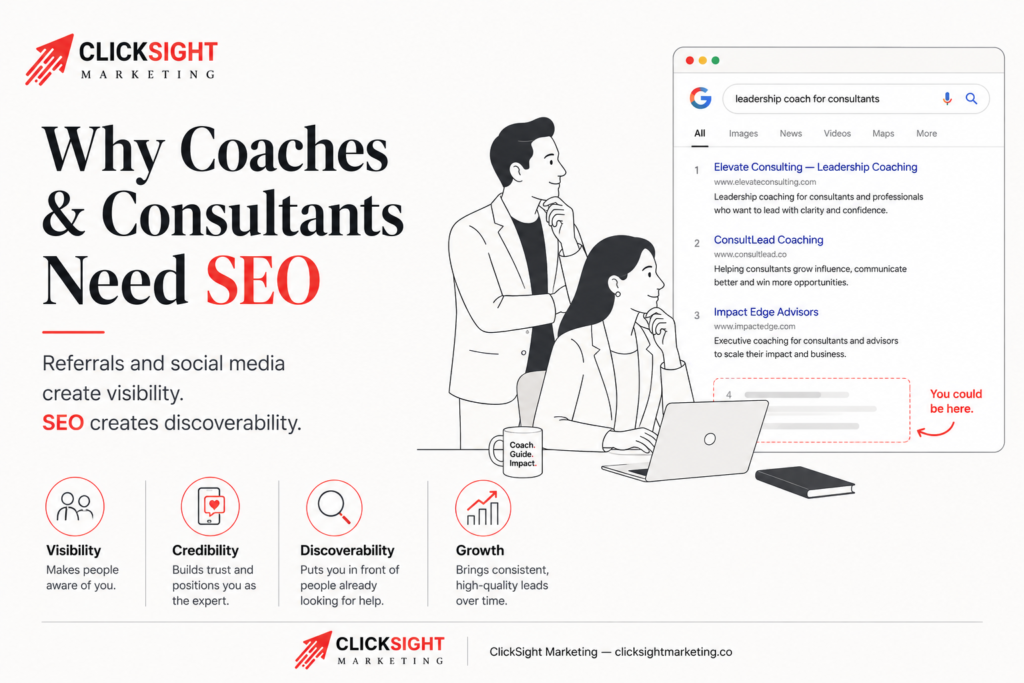
Why coaches and consultants needs SEO

Do Online Coaches and Consultants Need SEO?

If you are an online coach or consultant, you have probably asked this question at some point: Do online coaches and consultants need SEO, or is it just another thing being sold to you? You may already have LinkedIn, Instagram, and a referral network keeping your pipeline alive and wonder whether adding SEO to the mix is really worth the time or money. The short answer is yes. But the more useful answer is why — and why the coaches who ignore SEO are quietly handing their potential clients to competitors who figured this out earlier.

Do Online Coaches and Consultants Need SEO? Read More »

On-Page SEO Checklist for Coaches and Consultants (2025 Guide)

You’ve built something meaningful whether it’s a coaching practice, a consulting service, or a community club that brings people together. But no matter how valuable your offering is, it won’t help anyone if they can’t find you online. That’s where On-Page SEO comes in. It’s the foundation that tells Google (and your future clients) who you are, what you do, and why they should trust you. A well-optimized website helps the right people discover your expertise, book your services, or join your mission all without heavily relying on paid ads or constant promotion. In this guide, I’ll walk you through an easy-to-follow On-Page SEO checklist built specifically for coaches, consultants, and clubs so you can focus more on helping people and less on figuring out how search engines work. Before we dive into the checklist for On-Page SEO, let us first understand: Best Practices: Best Practices: Title Tag vs H1 Tag – Key Differences Image Optimization and Alt text Choose the right format for images URL stands for Uniform resource locator. It is the address used to access a specific page on the Internet it provides information to users and search engines where to find a webpage— think it’s like the label on a file in your client folder. It should clearly tell both your visitors and Google what the page is about, without any confusion. Imagine you’re organizing session notes for different clients. You wouldn’t label a folder file-7A9X — you’d name it something like John – Mindset Coaching Notes. Same idea applies to your website. Let’s say you’re a communication coach and you’ve written two blog posts: Now you want to link Post A (Proven tips) inside Post B (founders). 💬 Internal Linking Example Public speaking is a leadership skill, not just a stage skill. If you want to feel more natural on stage, here are  5 proven tips to speak with confidence. Now, instead of linking your own blog on speaking tips, you want to link to an external resource, like a trusted article on leadership communication from Forbes or Harvard Business Review. Tip: Public speaking is a leadership skill, not just a stage skill. If you want to feel more natural on stage, check out this Forbes article on how leaders can become better communicators. Source: StatCounter Global Stats – Platform Comparison Market Share 1. Helps Google Understand Your Website It’s like giving search engines a cheat sheet—so they show your products, services, or location more accurately. 2.  Stand Out in Search Results With schema, you can show: It makes your website show up with extra details in Google so more of the right people notice you and visit your page. 3. Boost Local Visibility If you run a local club or offer location-based coaching, LocalBusiness schema can help you show up in “near me” searches with your: 4. Help Voice Assistants & AI Tools Understand You Voice search (like Google Assistant or Alexa) relies on structured data to deliver accurate results. Schema markup makes sure your services can be found even when people speak their queries. What Schema Types You Might Use: Improving these metrics can be done using tools like Google’s PageSpeed Insights and GTmetrix, which provide suggestions for improvement If your site loads slowly or feels glitchy, people might leave before they even read your offer and Google notices that. Fast, stable websites help:

On-Page SEO Checklist for Coaches and Consultants (2025 Guide) Read More »

Person is tensed seeing high bounce rate on his website

Why Your Website Has a Crazy High Bounce Rate (And How to Fix It)

How to Reduce Your Website’s High Bounce Rate If potential clients land on your site but leave without exploring further, that’s a missed opportunity—often caused by a high bounce rate. For coaches and consultants, this usually means fewer discovery calls, fewer booked sessions, and lost trust before it even starts. This guide breaks down why bounce rates spike on coaching websites and how to fix them so visitors stick around long enough to take action. What is Bounce Rate? Bounce rate is the percentage of visitors who leave your website after viewing just one page—no clicks, no sign-ups, no booking a call. For a coaching site, that could mean someone reads your homepage but never checks your programs, testimonials, or calendar. What is a Good Bounce Rate? A “good” bounce rate varies by industry. Here are some general benchmarks for different types of websites: If your bounce rate is consistently above the average for your industry, it’s time to optimize your website. Here are some common reasons for high bounce rate 1. Slow Website Speed Did you know that 53% of mobile users abandon a website if it takes more than three seconds to load? In an age where attention spans are shorter than ever, a slow-loading website can cost you potential customers. How to Fix It: 2. Poor Mobile Optimization More than 60% of internet users browse on mobile devices. Many coaching clients browse on their phones first—while commuting, between meetings, or at night. A clunky mobile experience kills trust fast. Common Mobile Issues Include: How to Fix It: 3. Irrelevant or Low-Quality Content If someone lands on your site expecting clear coaching solutions and finds vague copy, they’ll leave. Your content must be relevant, engaging, and provide value to your audience. How to Fix It: 4. Poor User Experience (UX) Even if your website loads fast and has great content, a bad user experience can still drive people away. A cluttered layout, confusing navigation, or too many pop-ups can frustrate users. How to Fix It: Takeaway Monitor and Improve Your Site Regularly Improving your bounce rate isn’t a one-time task. Regularly monitor your website performance using tools like Google Analytics to track bounce rates and user behavior. FAQs 1. Does bounce rate affect SEO?Yes! A high bounce rate can signal to Google that your content isn’t relevant or engaging, which may impact rankings. However, Google considers multiple factors before determining rankings, so focus on overall user experience. 2. How can I check my website’s bounce rate?Use Google Analytics to find your bounce rate under Audience > Overview. 3. What is an ideal bounce rate for blogs?Since blogs are informational, a bounce rate of 55% – 80% is normal. However, engaging users with internal links can reduce this. Final Thoughts A high bounce rate can negatively impact your conversions and SEO rankings. By fixing slow load times, improving mobile usability, optimizing content, and enhancing user experience, you can keep visitors engaged and boost conversions. Additional Resources: Looking to improve your website’s performance? Contact ClickSight Marketing today for a free consultation!

Why Your Website Has a Crazy High Bounce Rate (And How to Fix It) Read More »